RapidPipeline Twin Studio
Overview
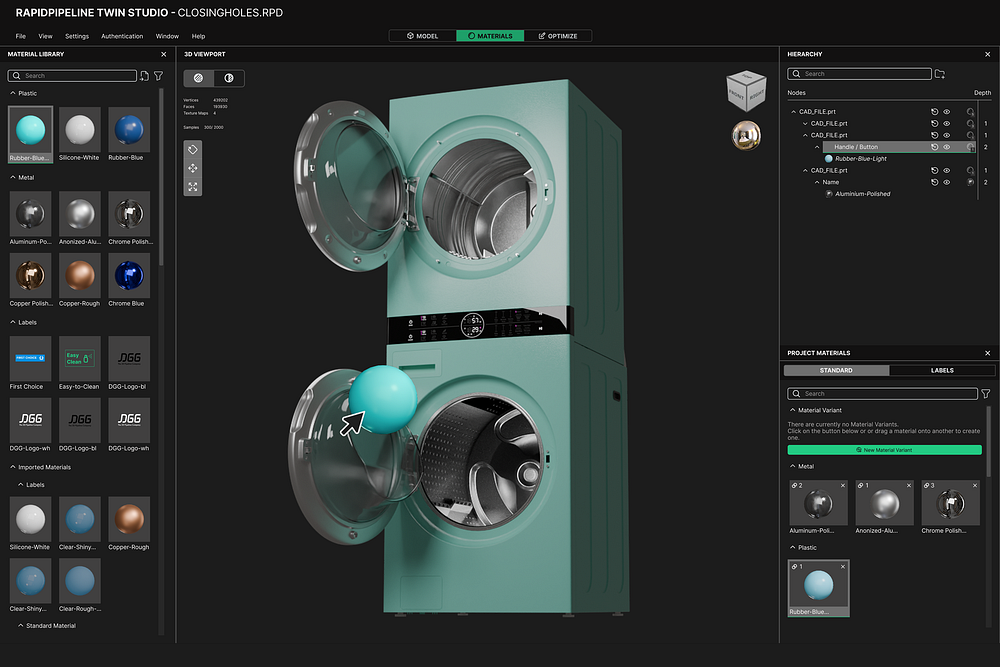
RapidPipeline Twin Studio desktop application enables you to turn raw CAD and 3D files into full render‑ready digital twins.
Everything you need is built into one streamlined workflow: model cleanup, material setup, labeling, and even Web and XR optimization - whether you're preparing a single product, or automating an entire catalogue.
Process, optimize & prepare 3D models interactively and 100% locally.
System Requirements
- Operating System: Windows 10/11 (64-bit)
- Memory: 8GB RAM minimum, 16GB recommended
- Storage: 2.5GB free space for installation
- Internet Connection: Required for license authentication only
Installation
How to install the RapidPipeline Twin Studio.
- Remove earlier versions of the application before installing a new version.
1. Get a RapidPipeline Account with Integrations
Start your 14-day free trial or subscribe to a Desktop plan.
If a RapidPipeline subscription is already attached to the account and the plan includes Desktop access, then RapidPipeline Twin Studio is available for use.
2. Download the Package
Visit the RapidPipeline Web Platform Download Page (Sign-in is optional).
Click the green Download for Windows to get the latest RapidPipeline Twin Studio version, or choose another version of your choice. Further down you can also find and download RapidPipeline Integrations, such as for Blender.
If you are an end-user of the application and do not have your own account, or you are an account manager and want to distribute the application package to users, please refer to our Public Integrations Downloads page. Note that a valid Token from a RapidPipeline account is still required to activate the software and generate a seat.
3. Extract the Package
RapidPipeline Twin Studio (Beta) does not include an installer. It simply needs to be extracted into a folder on the hard drive.
Extract the .zip package to a location on your hard drive.
In the folder, double-click RapidPipeline Twin Studio.exe to launch the application.
Make sure to extract the ZIP. Windows allows the contents of an unzipped archive to be examined, and individual executables to be run. The application will fail if the ZIP is not extracted before use.
4. Enter the RapidPipeline Authentication Token
Watch the video above, or for step-by-step instructions see Seat Management to learn how to generate and install an Authentication Token.
5. Learn How to Use RapidPipeline Twin Studio
Upgrading the Application
To upgrade to a new version of the application, we recommend removing the old software, and extracting the new application.
Close any RapidPipeline Twin Studio software currently running.
Delete the contents of the previously-extracted folder.
Extract the new version by following the installation steps above.
Double-click RapidPipeline Twin Studio.exe to launch the application.
Supported Features
File import and export
Model preparation and optimization Actions
*this includes CAD tessellation options on import
Material assignment
Label drag-and-drop and positioning/rotation
Undo / Redo
Part splitting and merging
Transformations Tool - Transform, Rotate, Scale (Object and World Space)
Preview Rendering (Viewport, Real-time)
Production Rendering (Path-Tracer) - Preview, Default, Final
- including 360° turntable render image series
Known Limitations
Currently only supported in Windows 10/11 (64-bit).
Please note that this is a beta preview of RapidPipeline Twin Studio, not a production release.
Saving/loading project files is not yet supported. However, results can be exported.
Loading of command history files is not yet supported. Once implemented, this will allow subsequent assets to be processed using previously-configured steps.
Material & label variants are not yet supported.
Contact Us
Let us know how it's going, we would like to get your feedback here!